

USB Adapters
There are two USB adapters you can use depending upon your Geiger Counter's output serial ports. A USB to RS-232 and a USB to TTL Serial. The USB to RS-232 can be used directly between the old style GCA-04 series of Geiger Counters and the PC. When using the USB to Serial Adaptor set the program to read COM port 3. The IOGear adapter sets the USB port to be seen as COM port 3.
When using the DMAD adapter you ought to use the USB-TTL cable. This connects directly to the DMAD and PC.
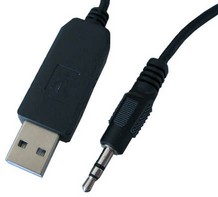
USB to TTL Serial Adaptor is available on Images SI Website https://www.imagesco.com/semiconductors/usb-3.5mm.html.
Writing Your Own Software to Communicate with the Adapter
You can write your own software to communicate with this module. Serial data is sent out as a two byte number (most significant byte first) with the following specifications: 9600 Baud, Inverted, 8 data bits, no parity and one stop bit.
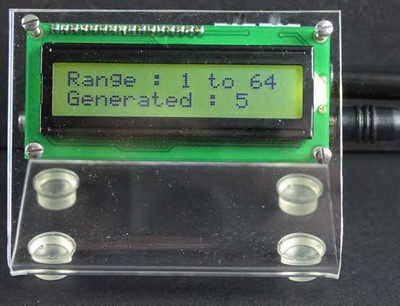
Random Number Generator
When B7 switch is set, this module will work as Random Number Generator. Module plugs into the Digital out of the Analog Geiger Counter & Audio out of Digital Geiger Counter & provides a random number each time a radioactive particle is detected. The Geiger counter should be set up to read background radiation. The random numbers generated are truly random since they are based on naturally occurring radioactivity.
Range of random number generated can be selected from one of the following : 1 to 2, 1 to 4, 1 to 8, 1 to 16, 1 to 32, 1 to 64, 1 to 128 by selection switch setting for B6, B5, B4 on the back of the module.
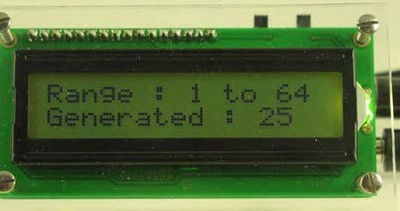
Typically, depending upon your location (background radiation is location dependent), the generator will generate 20-40 random numbers per minute. Random numbers generated are displayed on LCD Display & are sent out via a TTL serial port that may be interfaced to a micro controller or PC. Serial communication specifications are: 9600 baud, 8N1.