

Table of contents
Start with your application
With so many Geiger counters available, comparing specifications can be confusing. Begin with two questions: why do you need a Geiger counter, and what will you use it to measure?
Common applications include educational experiments, checking collectible objects, prospecting for radioactive minerals, and monitoring changes in background radiation.
What is a Geiger counter?
A Geiger counter detects ionizing radiation using a Geiger–Müller (GM) tube. Radiation interacting with the tube can ionize its gas and produce an electrical pulse. The instrument counts these pulses and may produce an audible click for each detection.
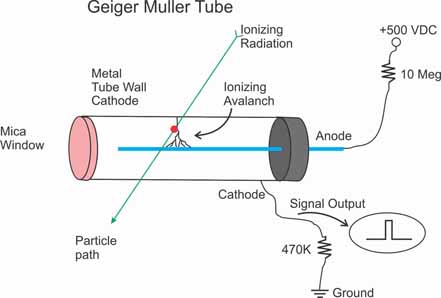
The GM tube is the heart of the instrument. Its construction determines which types of radiation the counter can detect. Read the introductory article.
Radiation: what you need to know
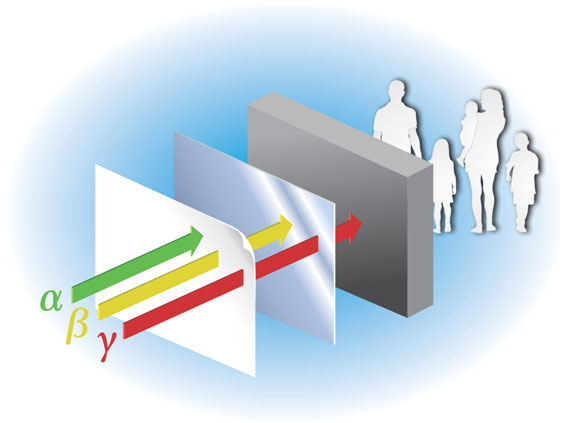
Alpha, beta and gamma radiation differ in their ability to penetrate materials. The radiation type and energy both influence detection and shielding.
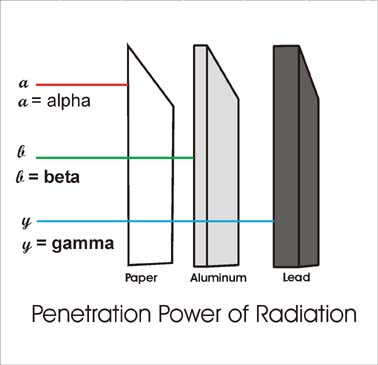
- Alpha: helium nuclei with a short range in air. Detecting them generally requires a thin-window detector placed close to the source.
- Beta: electrons or positrons. Their penetration depends on their energy and the material they encounter.
- Gamma and X-rays: ionizing electromagnetic radiation. Shielding reduces its intensity; the amount of attenuation depends on photon energy, material and thickness.
Background radiation
Natural background causes counts even when no test source is present. Measure background under comparable conditions and account for it when comparing a sample with its surroundings. Count rates fluctuate, so longer measurements help reveal small differences.
What ordinary GM counters do not detect
Ordinary GM counters do not measure nonionizing signals such as mobile-phone transmissions, radio-frequency fields or microwave leakage. They are also not general-purpose neutron detectors.
Choosing a Geiger–Müller tube
The detector matters as much as the display. Select a tube that responds to the radiation you need to detect.
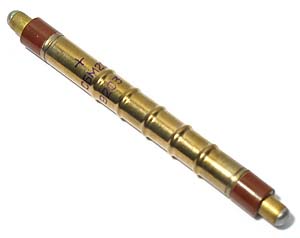
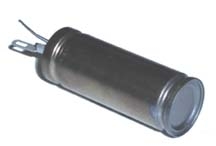
Metal-wall tubes such as the SBM-20 are used for beta and gamma detection and do not provide alpha detection. Thin mica-window tubes such as the LND-712 allow alpha particles to enter the detector.
Mica windows are delicate. Consider window protection, source distance and handling requirements when choosing a counter.
Used and surplus instruments
Used instruments can be economical, but identify the detector type, measurement range, condition and calibration history before buying. Similar-looking instruments may serve very different purposes.
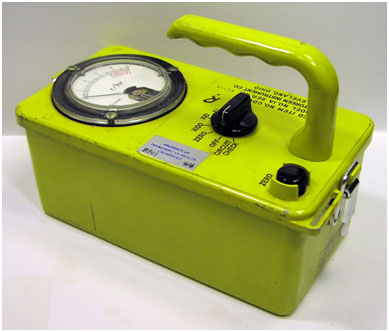
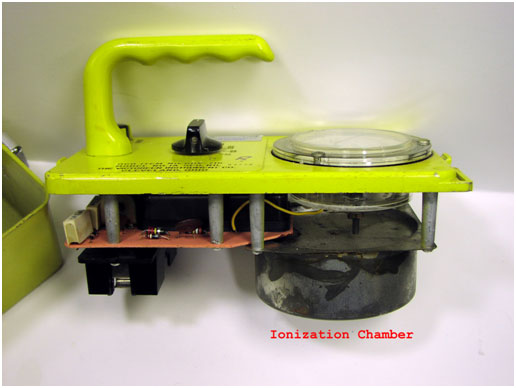
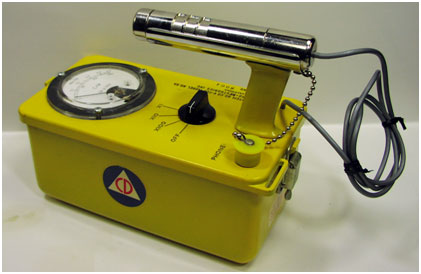
The CDV-715 uses an ionization chamber rather than a GM tube. It was designed for high radiation fields; it is a different instrument from a sensitive background-counting Geiger counter.
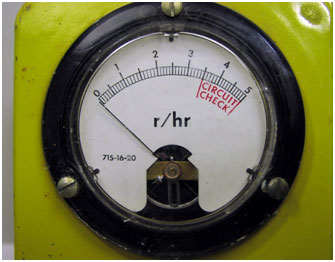
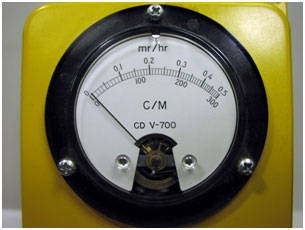
The CDV-700 uses a GM tube. When evaluating a vintage unit, check the probe, cables, battery compartment, operation and documented calibration.
Accuracy and calibration
A digital display makes counts easier to read, but display precision alone does not establish radiation measurement accuracy. Detector response, calibration, radiation energy and measurement geometry also matter.
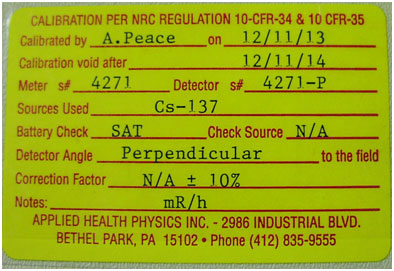
Ask the supplier for calibration documentation, the procedure or standard used, source traceability, the tested ranges and the recommended recalibration interval. Check that the documentation applies to your particular instrument.
For available Images SI calibration options and details, visit the calibration information page.
When comparing instruments, distinguish a calibration certificate from a general claim of accuracy. Ask what was tested and under what conditions.
Internal detectors or external probes
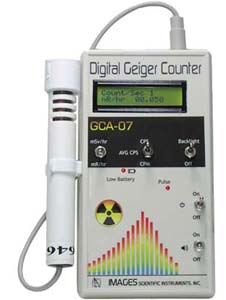
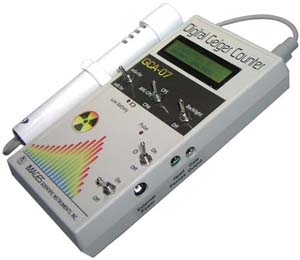
An internal GM tube provides a compact instrument that can be operated with one hand. An external probe places the detector at the end of a cable, making it easier to position near an object or reach confined areas.
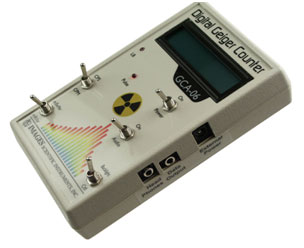
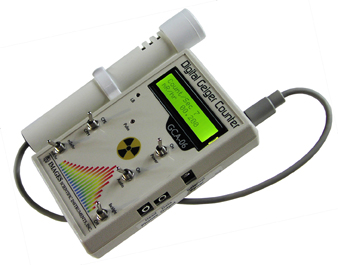
Choose the arrangement that suits your work. For alpha detection, access to the detector window and the distance between the window and source are particularly important.
Understanding the readings
Counts and radiation units
Counts per second (CPS) and counts per minute (CPM) describe the number of detected events over time. To convert an average CPM rate to CPS, divide by 60: 300 CPM equals 5 CPS.
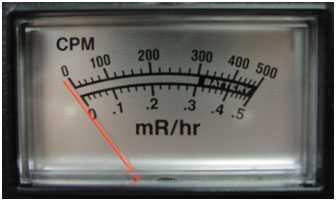
On an analog meter, read the selected range and apply the range multiplier. The relationship between counts and a displayed radiation level is specific to the instrument and its calibration.
Digital displays
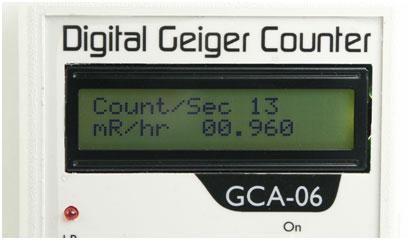
A digital counter can show counts, elapsed time and a calculated radiation level. Display averaging and update intervals depend on the model.
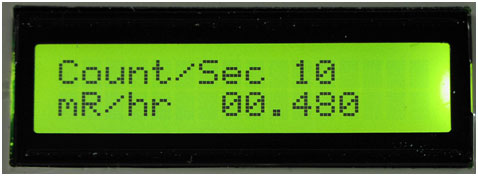
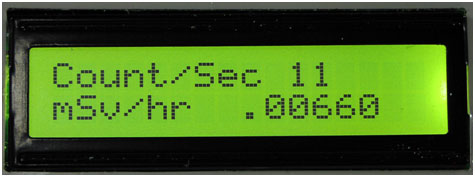
Common radiation-rate displays include mR/hr and mSv/hr. Check the manual for the unit, scale and calibration assumptions.
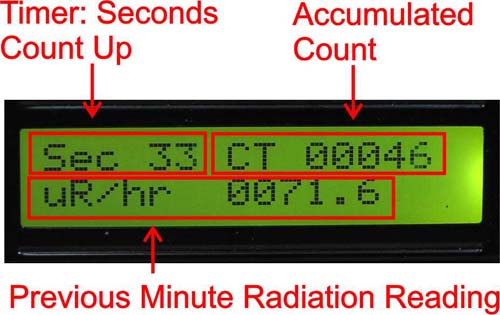
In a timed CPM mode, the instrument accumulates counts over a minute. Read the manual to distinguish a completed one-minute count from a running or estimated CPM value.
Measurement ranges and data logging
Measurement range
Compare the specified count-rate and radiation-rate ranges. Check how the instrument reports an overload and whether its calibration covers the range you plan to use.
Charting software
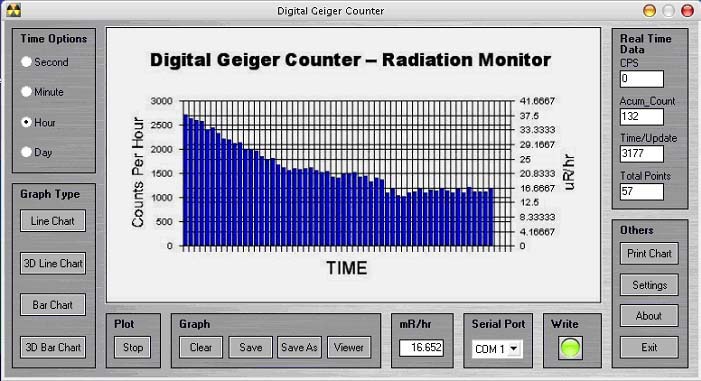
Logging software helps you observe trends, save readings and export data for analysis. Check the operating-system requirements and the interface needed for your counter.
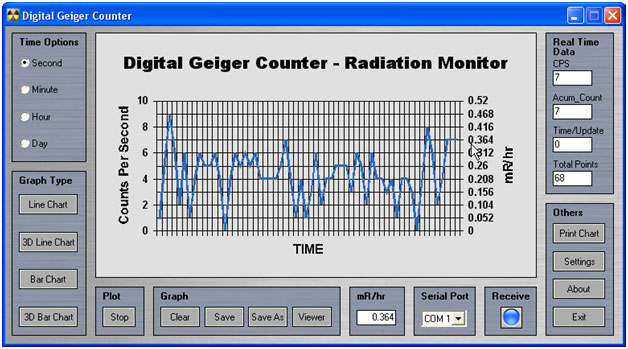
View radiation monitoring software and downloads.
External event loggers
A counter with a pulse output may connect to a compatible event logger. Confirm voltage levels, connector wiring and the maximum pulse rate before connecting equipment.
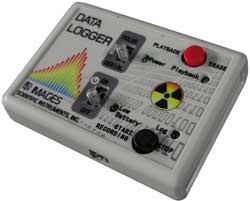
Follow the logger instructions for setup, recording and export. Saved count data can be analyzed and graphed in a spreadsheet.
Working within a budget
A basic counter with a compatible pulse output may be expanded with a Digital Meter Adapter (DMAD). Compare the total cost of the counter, adapter, power supply and cables with an integrated instrument.
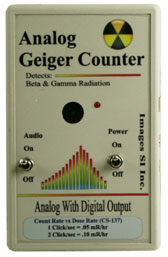
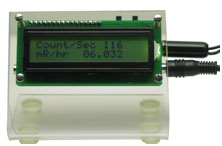
The adapter counts input pulses. Converting those counts to a radiation level depends on the connected detector's response and calibration.
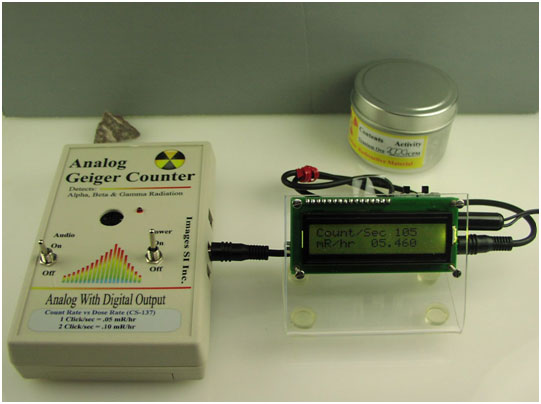
The DMAD also provides a serial interface for compatible software and a random-number-generator function.
Check the product pages for current prices and options: Geiger counter, DMAD kit and assembled versions, and DMAD technical information.
Ease of use and warranty
Choose controls you can use comfortably. Compare direct switches, menu navigation, display readability, battery replacement and access to the functions you use most.
Warranty and support
Review the product's warranty before purchasing, including coverage for the GM tube, accidental damage, repair service and calibration. Thin-window GM tubes require careful handling.
Your buying checklist
- Define your application and the radiation types you need to detect.
- Choose a suitable GM tube and probe arrangement.
- Check calibration documentation and measurement range.
- Compare analog and digital displays and available units.
- Confirm software, data logging and interface compatibility.
- Evaluate ease of use, total cost, warranty and support.
About this guide
This guide is published by Images Scientific Instruments Inc. and illustrates the topics using Images SI products and selected historical instruments. Older photographs are included for explanation; consult the current product pages for specifications, availability and pricing.
Questions or suggestions? Email sales@imagesco.com.