

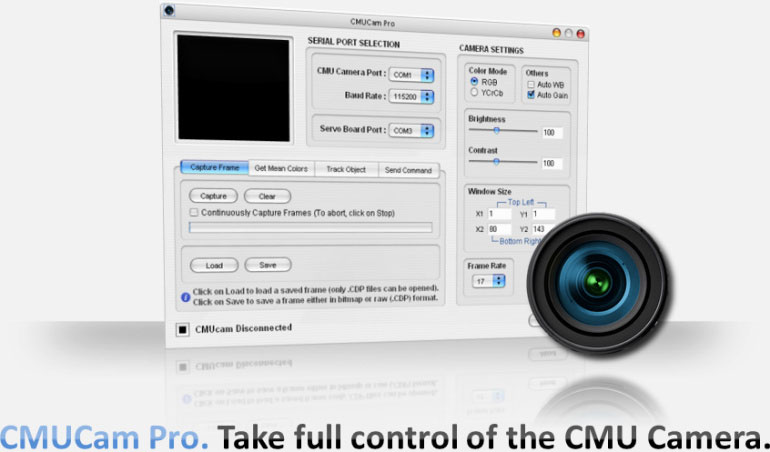
More than merely controlling, CMUCam Pro lets you deal with CMU Camera like a Pro! You don't need to remember those tough commands and other hard part to interact with the CMU Camera. Come, 'Play' with the CMU Camera!
Handle the CMU Camera like a Pro!
CMUCam Pro allows the user to perform high level tasks through CMU Camera v1, without having to know the complex details of dealing with the camera. The software ensures the proper operation of CMU Camera and filters the errors caused in the operation.
- Track user defined color blobs
- Track motion window
- Find the centroid of any tracking data
- Gather mean color and variance data
- Adjust the camera’s image properties
- Dump a raw image (single or multiple channels)
- PC control servo motor output for tracking using , SMC-02, SMC-03 or SMC-04 Servo Motor controller. *
* CMU-Pro Tracking requires an additional USB port for an SMC Servo Motor Controller.

Video 1: Tracking window showing red object being tracked in X, Y and Z dimensions
High resolution video (2.5 MB)
Low resolution video (0.5 MB)
Video 2: Tracking red object using pan and tilt base with servo motors connected to X and Y dimensions.
High resolution video (2.5 MB)
Low resolution video (0.4 MB)
More videos coming soon...
CMUCam Pro - $14.95
CMUCam Pro Software
CMUCam Pro Software